
Triggered data-logs
On this page
The purpose of the triggered (event driven) data log is to log data depending on some event/condition. This is useful for repetitive or random processes where you can specify the triggering condition. You can, for example, log production data only at the time when the production line is running or log data upon system failure and use the logged data for diagnostics. With an event driven data log, you specify the start of the event by a condition. If the trigger condition is met, the system starts recording the data.
To enable a triggered data log, check the “Triggered logging” checkbox:
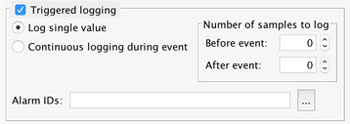
Now you have two options:
- Continuous logging during event
- Log single value
Continuous Logging During Event
If you select continuous logging during the event, mySCADA will log data as long as the trigger conditions are valid.
Log Single Value
Log single value option will log just one record at the time when the trigger condition occurs.
Triggering Conditions
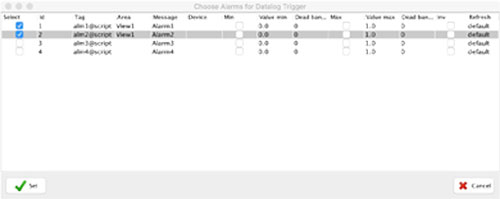
mySCADA uses CAS Alarms as a triggering condition. You can select multiple CAS Alarms to use as triggers. Triggering conditions are specified by the Alarm ID field.
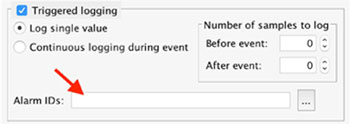
Click on the “…” button to specify which alarms should be used as triggers.
Pre-trigger buffering
You specify the number of time samples to log before the trigger condition is met. The system automatically keeps the number of defined time samples in the memory. If the event occurs, the system will flush all the buffered data from the database and continue logging.
Post-trigger buffering
The system will continue to log your data even after the trigger condition has stopped. You should specify the number of the time samples to be logged after the trigger condition has finished. The time sample duration is equal to the read period.