
Limited access to whole project
On this page
You can specify which users will have access to the project. To specify which users can access the project, select your project from the project tree and look at the properties.
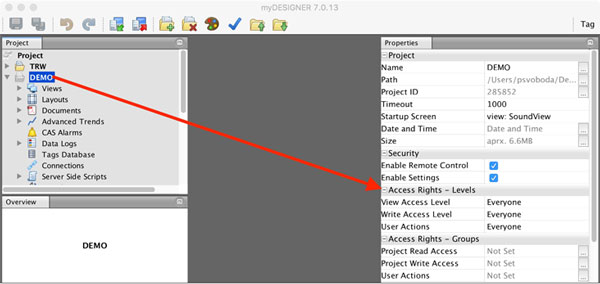
As you can see, you can limit access to your project either based on Access Levels or based on Access Groups.
Setting Access Levels
Navigate to the Access Rights – Levels and fill in the appropriate values:
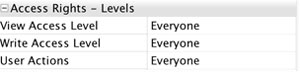
View Access Level: Sets the minimal level of access for viewing your project.
Write Access Level: Sets the minimal level of access for writing values to the PLCs
User Actions: Enables access for viewing user actions log
Setting Access Groups
Navigate to the Access Rights – Groups and fill in the appropriate values:
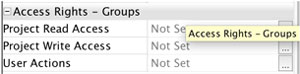
Project Read Access: Specifies which groups of users can view your project
Project Write Access: Specifies which groups of users can write values to the PLCs
User Actions: Enables access for viewing user actions log