
myDESIGNER › myDESIGNER › Connections & Protocols
Creating PLC type connection
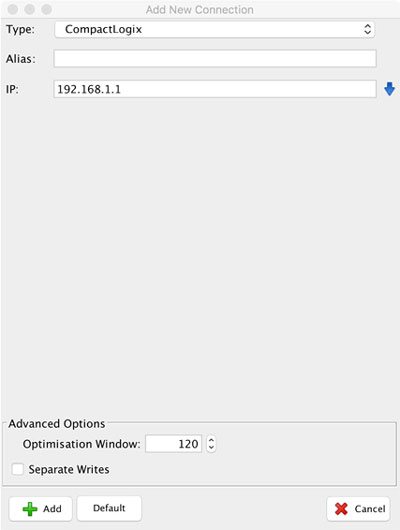
First, click on the PLC type connection. A dialog window will open where you can enter specific connection parameters in order to create a viable communication channel with the PLC.
-
Type – select the type of PLC from the drop-down box at the top of the window
-
Alias – enter the name of the connection
-
IP – enter the IP address of the PLC
-
NOTE: The dialog content depends on the selected PLC type.
2. Once all the valid information is entered, click on “+ Add” at the bottom of the window.