myDESIGNER › myDESIGNER › Miscellaneous
S7 1200/1500 notes
On this page
To access the DB in S71200/1500, some additional settings in PLC-side are needed.
- Only global DBs can be accessed.
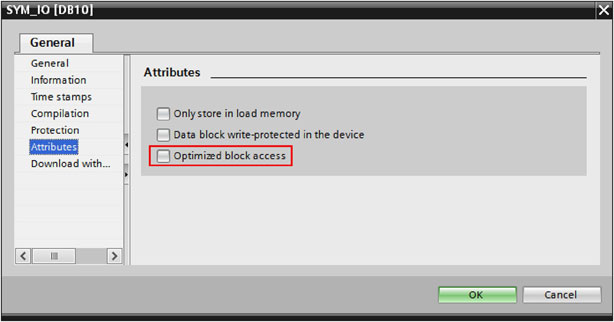
- The optimized block access must be turned off.
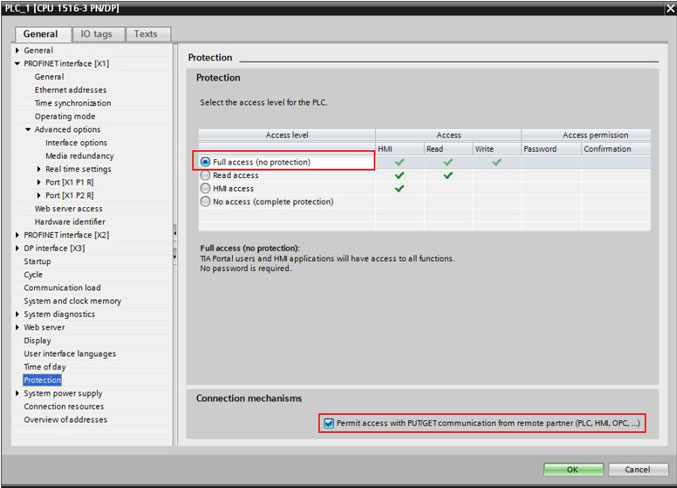
- The access level must be “full” and the “connection mechanism” must allow GET/PUT.
Set the previous in TIA Portal (shown version V12)
Select the DB in the left pane under “Program blocks” and press Alt+Enter (or in the contextual menu select “Properties…”).
Uncheck Optimized block access (by default it is checked).
How to
Select the CPU project in the left panel and press Alt+Enter (or in the contextual menu select “Properties…”)
In the item Protection, select “Full access” and Check “Permit access with PUT/GET ….”, as pictured.