
Server-side scripts - Generating a report at given time interval
To generate a report at given time interval, use the Report function located at the script toolbar window.
Step 1: Create your report. To do so, navigate to the Reports section of your project and select “new.” You will be presented with the Reports GUI designer:
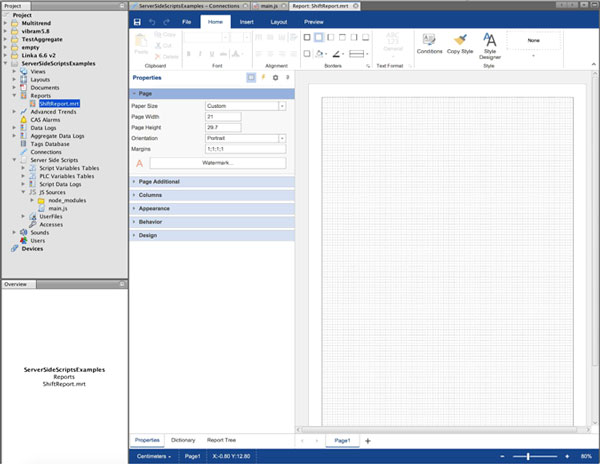
Step 2: Now design your report and press save.
Step 3: Use server side script to run the report in defined time intervals:
a) Create a Cron time based schedule as described in previous example:

b) Now into this function, enter the report generation. You can use the Report dialog to generate a function for you:
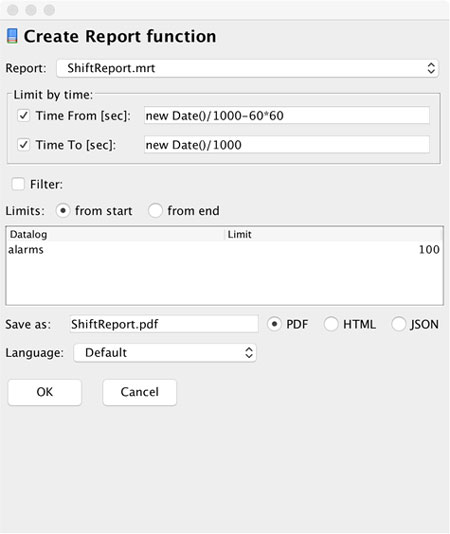
c) After pressing “OK” button, you will get the final code:
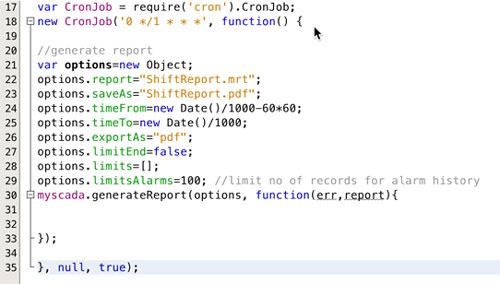
Now your report will be generated every hour. You will find the generated file in the user directory accessible over www pages or over FTP.