
myDESIGNER › myDESIGNER › Miscellaneous
Declaring variables
You can declare your variables in the Variables Window:
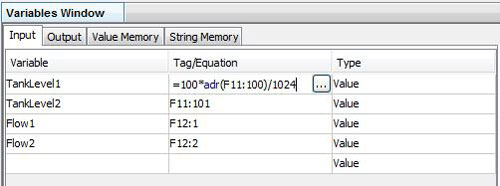
There are four types of variables to use:
- Input variables: use these variables for reading data from the PLC; each time the script is evaluated it first reads the PLC tags and stores them in the input variables
- Output variables: after the script evaluation, the output variable values are written into the PLC; you can set whether it will write the value each time the script is evaluated or only upon change - this is controlled via the Update field (Always, On Change)
- Value Memory: here you can declare your persistent variables; when a view is loaded, memory variable has its default value; you can change this value in the script and it will prevail until you switch to a different view or close the application
- String Memory: String Memory variables are the same as Value Memory variables, but are of string type