
Defining data points in data-logs
On this page
Each data-log should have at least one data point. You can comfortably define data points in the provided table:

Each data point can have the following properties:
| Parametr | Description |
| Id | Unique ID. Each data point has an auto-generated unique ID. This ID is used as a reference to find your record in the database. |
| Name | Name of the data point – will be shown in Data-log view table as column name. |
| Description | Short description – will be shown as Tooltip when hovering over column name. |
| Tag | Specify a valid tag (address). All specified tagsmust be from the same connection. |
| Unit | Engineering unit. |
| Format | This parameter is used to format numerical value based on a given pattern. More info on formatting is in chapter Formatting Numerical values. |
| Hysteresis | Check this option if you want to log data only if the value of the data point changes. If you check this option, you must also set up the following parameter “Delta abs” |
| Delta Abs | Used when hysteresis is selected. Specify the rate of change in absolute value to log it. |
| Type | Type of data. Options are: Value - any number such as integer, float, or Boolean String - String value Date - value representing a date |
| Parameter | This option is for specific settings based on selected type. |
| Alignment | Align the data shown in Data-log view table to the left, right, or to the center |
| Key | If you check this option, mySCADA will automatically create a search index for this data item. You can then search based on this key in Data-log view tables. |
Data Point Types
A data point can be a value (numeric), string, or date value. For each data point type, you can specify additional options.
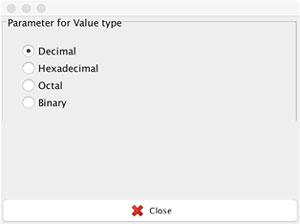
For Value data point type, you can specify if you wish to present the value as a decimal, hexadecimal, or binary. To do so, click and select the corresponding option in the Parameter cell.
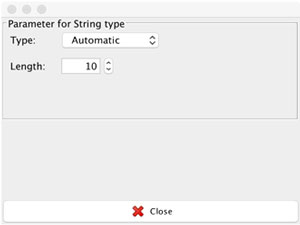
For String type value, you can specify how the string is represented in PLC. For a detailed description, please see the section Animations – Get Animation (link Animations). The usage is exactly the same.
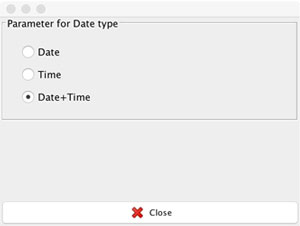
For date type, you can specify if you wish to show only the date, only the time, or both:
- Information: mySCADA expects a date to be saved in PLC as an integer value. The date should be in UNIX UTC format.