
myDESIGNER › myDESIGNER › Enterprise Features
Server-side scripts data-logs
Script data-logs are same as the data-logs defined in your project, with one exception; mySCADA will only create data-log tables for you, but you should fill in the historical values using script. Here is a simple explanation of how to use script data-logs:
1. Create a new data-log script and open it.
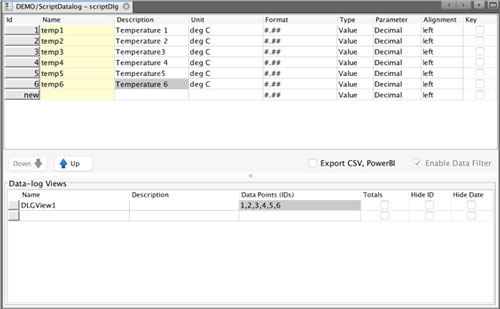
2. Fill in the Items and save it. You can also create data-log views for this data-log. Now that your data-log is created, mySCADA will automatically create a historical table, and you can fill in the data from the script.
3. Open a main.js from the Sources folder and fill in the function to log data into your script data-log.
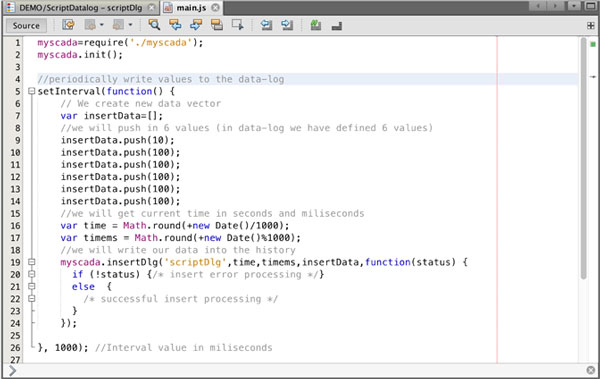
4. You are done; now every second you will get a new row of data in the history.