
mySCADA PRO Manager › mySCADA PRO Manager › Manager UI
Main Dashboard
On this page
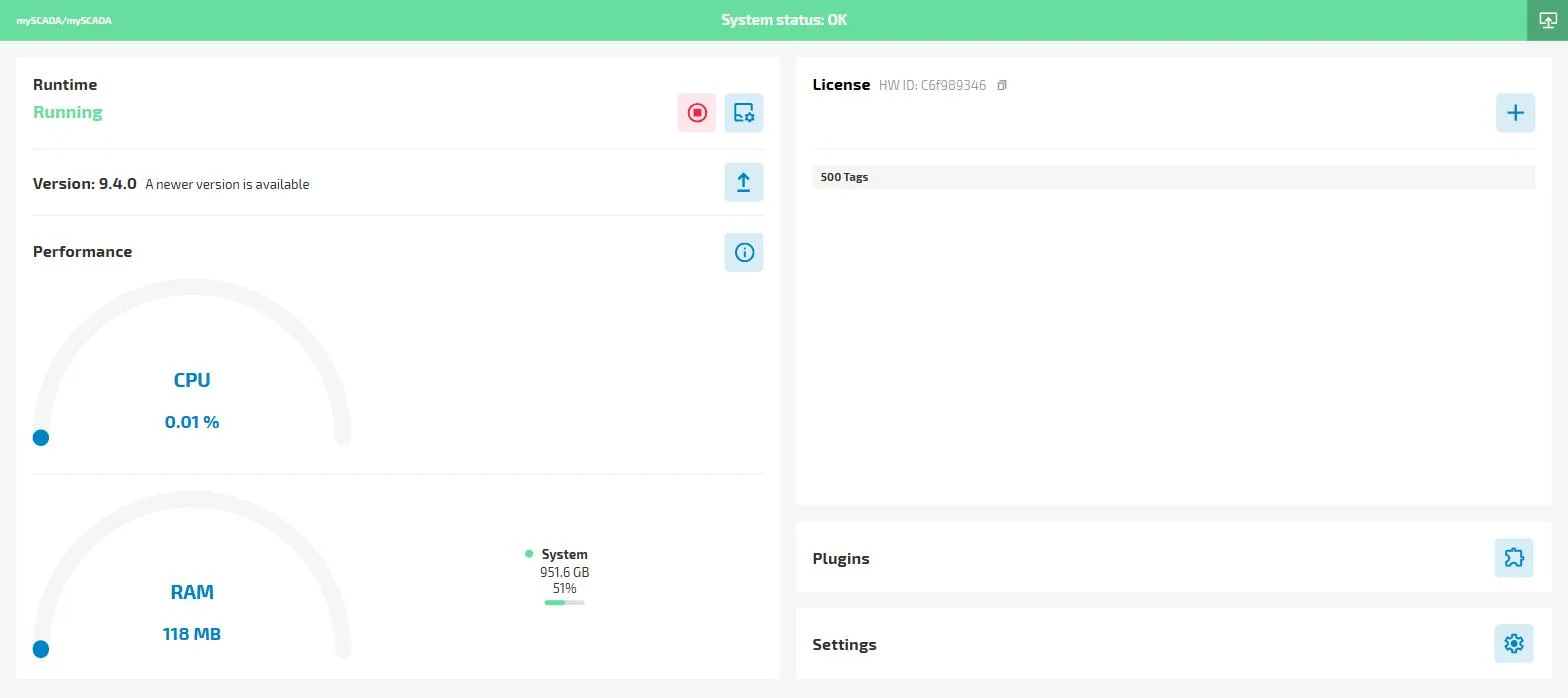
The main dashboard of the mySCADA PRO Manager application provides essential information about the runtime status and system performance, as well as quick access to key management features.
Key Features
Runtime Status
- Displays whether the runtime is currently running or stopped.
- Shows the version of the active runtime.
System Performance
- Provides real-time information on CPU usage and RAM utilization.
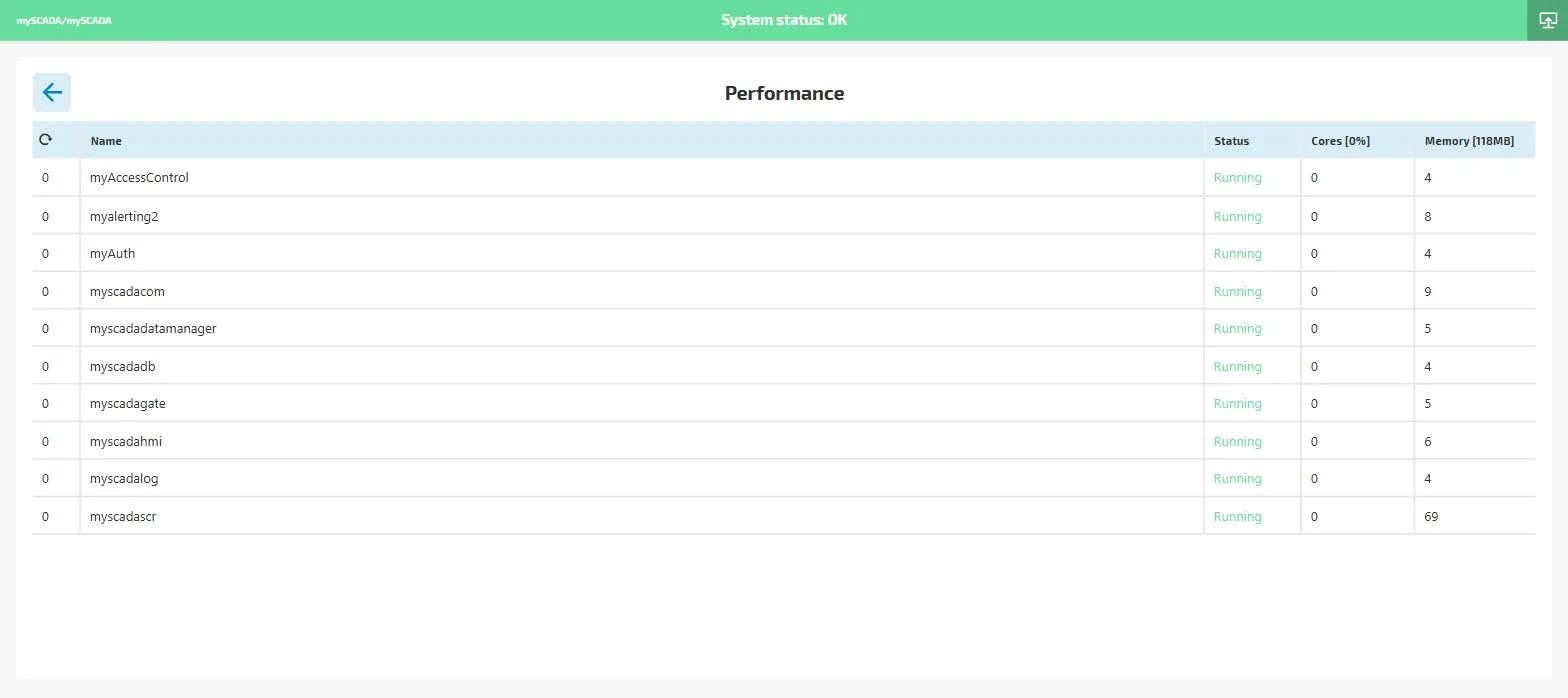
- Click the info icon to open the Performance detail — a table of all running myPRO microservices with their individual CPU core and memory usage.
License Management
- Shows details about applied licenses.
- Allows users to apply new licenses directly from the dashboard.
Settings
- Access settings for runtime configuration.
- Manage general settings such as:
- Activating myACCESS.
- User managment
- Adjusting HTTP/HTTPS web server ports used by the DataTalk runtime.
- Modem settings for SMS notification
- Backup & Restore the settings of DataTalk Manager
The dashboard serves as a central hub for monitoring and managing the system efficiently.