
myACCESS Legacy › myACCESS Legacy
Downloading project to the device using myACCESS link
The great thing about connecting your device to myACCESS is also an opportunity for downloading your project without the need of going to the factory to make some updates on the project itself. You can simply use the link of the connected device. So in our case, we have a myBOX connected 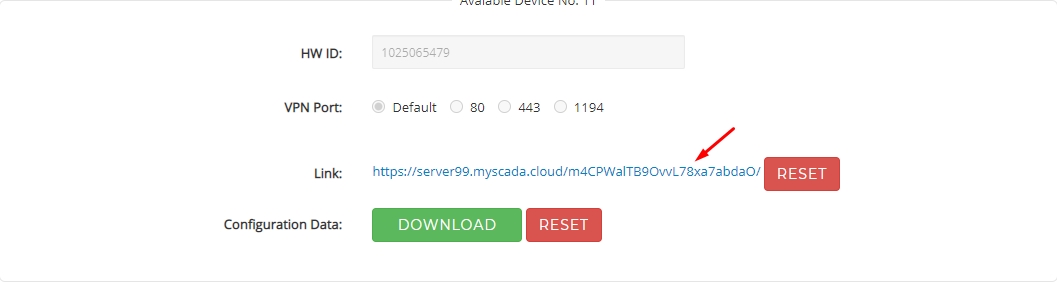 We copy the link to the proper columns as shown in columns on the screenshot https://server99.myscada.cloud/m4CPWalTB9OvvL78xa7abdaO/
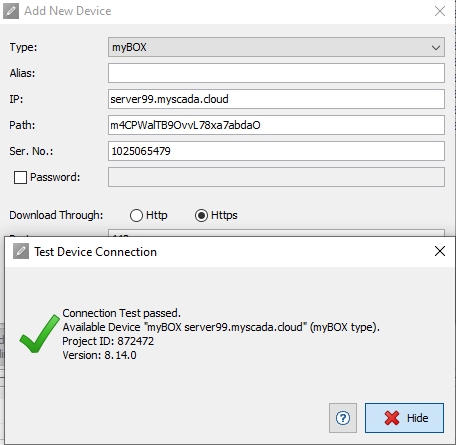 And now we are able to download our project to any device connected to myACCESS using the same method.